Requests
Submit and triage field work requests from operators and technicians.
Overview
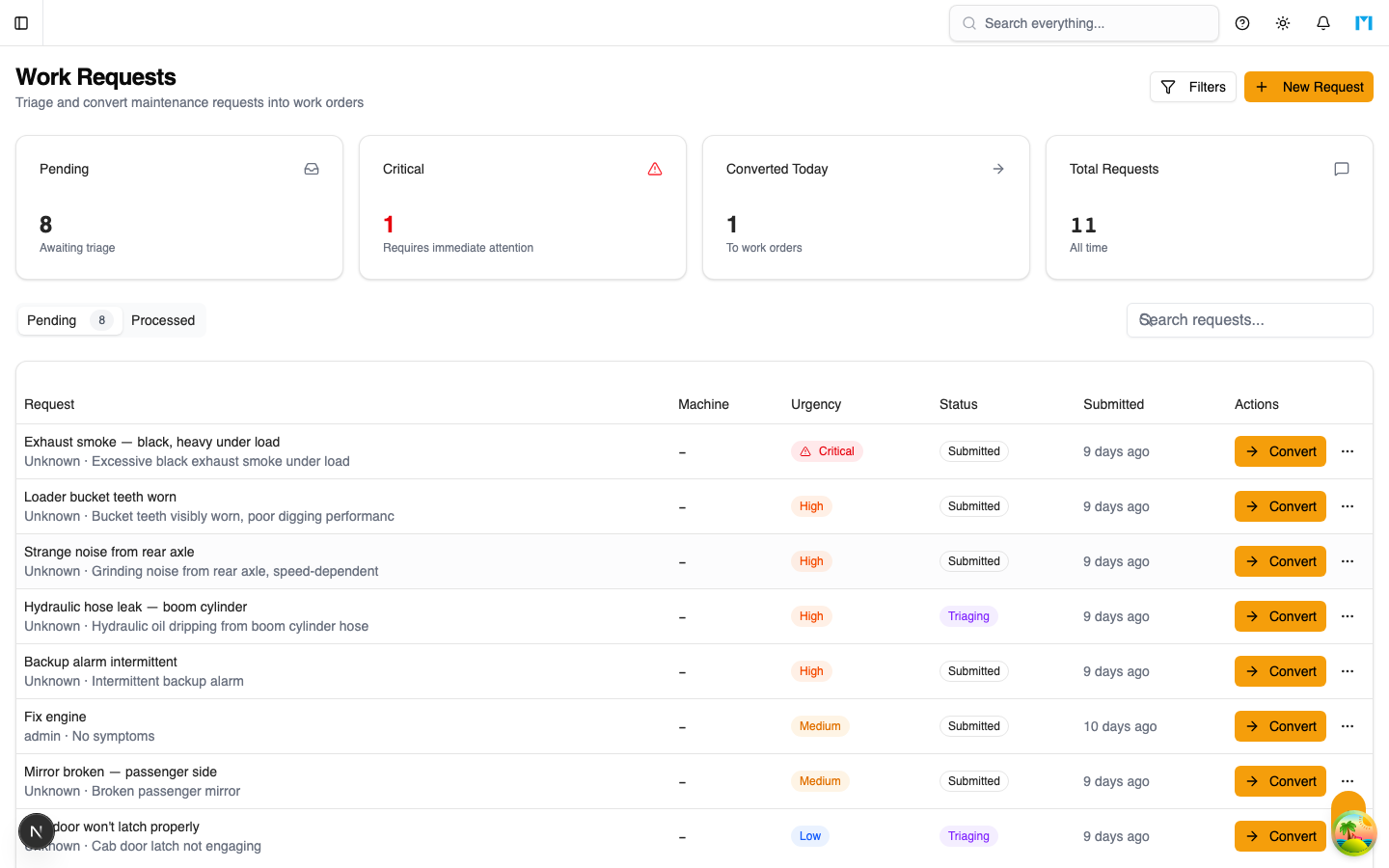
Work Requests allow operators, technicians, and other field personnel to submit maintenance needs that get triaged by planners before entering the scheduling pipeline. Requests capture symptoms, urgency levels, and machine associations, then flow through a triage process that can convert them into formal work orders and scheduler tasks.
Key Concepts
Request Lifecycle
Work requests move through these statuses:
| Status | Description |
|---|---|
| SUBMITTED | Initial state when a request is created |
| TRIAGING | A planner is reviewing the request or has requested more information |
| CONVERTED | The request has been converted into a work order |
| CLOSED | The request was closed without conversion |
| REJECTED | The request was rejected |
Request Properties
| Field | Description |
|---|---|
| Title | Short summary of the issue |
| Description | Detailed description of the problem |
| Symptom | Observable symptoms reported by the operator |
| Urgency | 1-5 scale (1 = most urgent, 5 = least urgent) |
| Machine | Optional association to a specific machine/vehicle |
| Submitted By | The user who created the request |
| Submitted At | Timestamp of submission |
Triage Actions
When triaging a request, planners can take one of three actions:
| Action | Result |
|---|---|
| Convert | Creates a new work order from the request data. Requires specifying a title, priority (LOW/MEDIUM/HIGH/CRITICAL), and optional due date. The request status changes to CONVERTED. |
| Close | Closes the request with an optional reason. Used when the issue is not actionable or has already been addressed. |
| Request Info | Moves the request to TRIAGING status with notes. Used when more information is needed from the submitter. |
Conversion to Work Orders
When a request is converted, a new work order is created with:
- The title and priority specified by the planner
- The original request description
- The machine association from the request
- A link back to the originating request
The new work order can then be synced to a scheduler task through the normal task sync process.
How to Use
Submitting a Request
-
Navigate to Scheduler > Requests
-
Click New Request
-
Enter a title describing the issue
-
Add a detailed description and any observable symptoms
-
Set the urgency level (1 = Critical, 5 = Low)
-
Optionally select the affected machine
-
Click Submit
Triaging Requests
- Open the Requests page to see pending requests
- By default, converted and closed requests are hidden -- check "Include Closed" to see all
- Review each request and choose an action:
- Convert to create a work order and enter the scheduling pipeline
- Close if the issue does not require action
- Request Info if you need more details from the submitter
- Add triage notes to document your decision
Filtering Requests
The request list supports filtering by status:
- All open (default) -- Shows SUBMITTED and TRIAGING requests
- By status -- Filter to a specific status (SUBMITTED, TRIAGING, CONVERTED, CLOSED, REJECTED)
- Include closed -- Toggle to show CONVERTED and CLOSED requests alongside open ones
Requests are sorted by urgency (most urgent first), then by submission time.
Common Questions
Who can submit work requests?
Any user with access to the Scheduler module can submit work requests. The submitter is automatically recorded.
What happens after a request is converted?
A new work order is created and the request is marked as CONVERTED with a link to the new work order. The work order then follows the normal scheduling workflow.
Can I reopen a closed request?
The triage workflow does not currently support reopening closed requests. If the issue recurs, submit a new request.
How does urgency differ from work order priority?
Urgency on a request is a 1-5 scale reflecting the submitter's perception of importance. When converting, the planner sets the work order priority (LOW/MEDIUM/HIGH/CRITICAL) based on their assessment, which may differ from the original urgency.