Tasks
Manage individual work tasks with assignments, priorities, and dependencies.
Overview
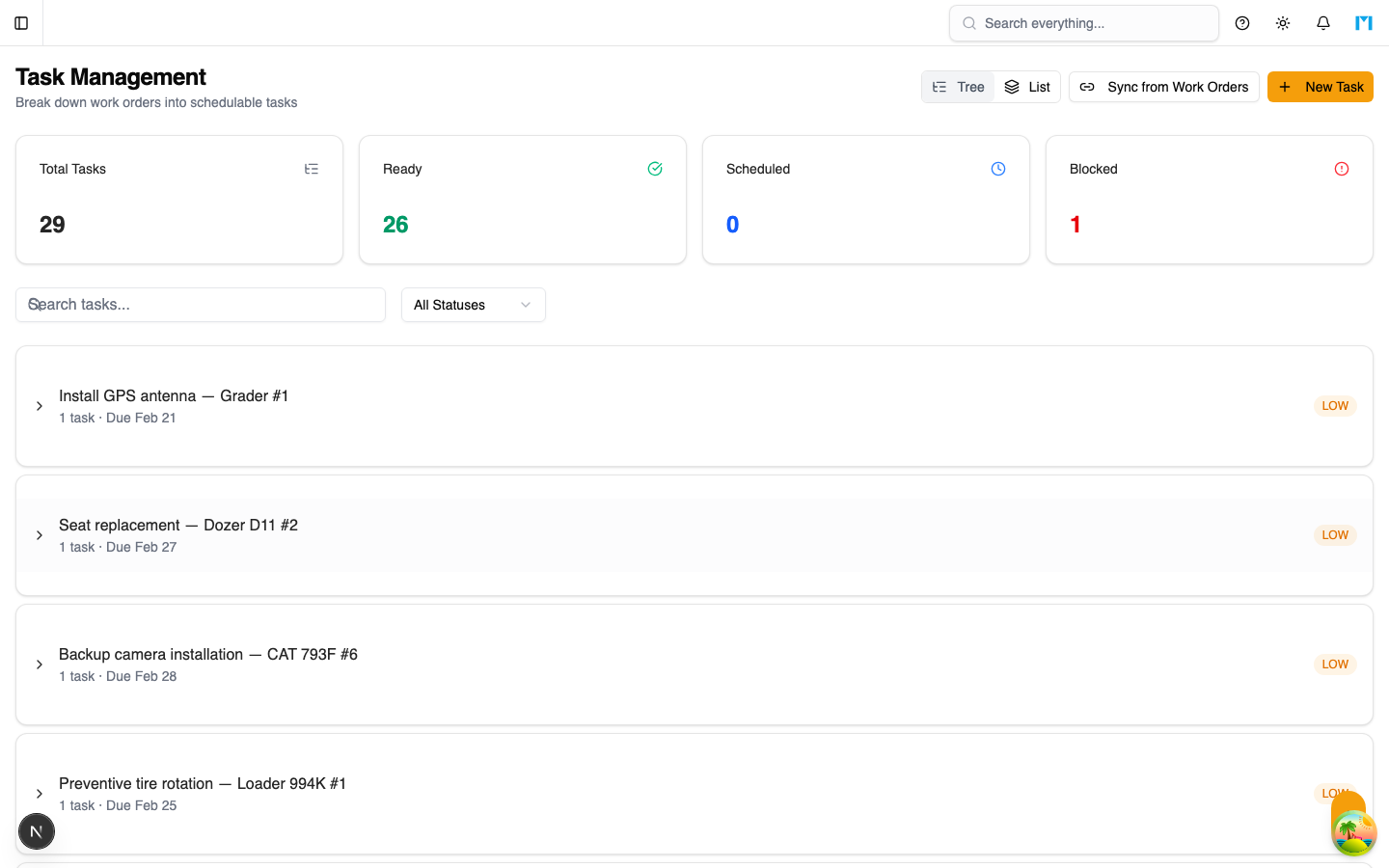
Scheduler tasks are the individual units of work that get placed on the schedule. Each task is linked to a work order and carries information about duration, skill requirements, bay type needs, and task dependencies. Tasks can be created manually or synced from existing work orders.
Key Concepts
Task Properties
| Property | Description |
|---|---|
| Name | Short description of the work (e.g., "Oil Change", "Track Inspection") |
| Work Order | The parent work order this task belongs to |
| Duration | Estimated time in minutes to complete the task |
| Setup Time | Additional time needed before work begins (in minutes) |
| Priority Override | Optional priority (1-5, where 1 is Critical) that overrides the work order priority |
| Required Skills | Skills the assigned technician must have |
| Required Capabilities | Bay or tool capabilities needed |
| Bay Type | The type of maintenance bay required |
| Predecessors | Tasks that must complete before this one can start |
Task Status
Tasks progress through these statuses:
| Status | Description |
|---|---|
| PENDING | Created but not yet scheduled or ready |
| SCHEDULED | Placed on the schedule in a scenario |
| IN_PROGRESS | Work has started (set via Dispatch) |
| BLOCKED | Work is paused due to an issue |
| COMPLETED | Work is finished |
| CANCELLED | Task was cancelled |
Readiness
A task has an isReady flag and a list of readinessBlockers. Tasks that are not ready can still be scheduled, but the optimizer may deprioritize them. Common blockers include:
- Pending approval requests
- Parts not yet available
- Prerequisite tasks not complete
Work Order Sync
The Sync Work Orders to Tasks action scans all OPEN and IN_PROGRESS work orders and creates scheduler tasks for any that do not already have linked tasks. The sync uses the work order priority to set default durations:
| Work Order Priority | Default Duration | Setup Time |
|---|---|---|
| CRITICAL | 480 min (8 hrs) | 48 min |
| HIGH | 240 min (4 hrs) | 24 min |
| MEDIUM | 120 min (2 hrs) | 12 min |
| LOW | 60 min (1 hr) | 6 min |
How to Use
Creating a Task Manually
-
On the main Scheduler page, click New Task
-
Select the parent work order from the dropdown
-
Enter a task name and estimated duration in minutes
-
Optionally set a priority override (1 = Critical, 5 = Deferred)
-
Click Create Task
The task appears in the Unscheduled tab and can be dragged onto the Gantt chart or scheduled by the optimizer.
Syncing from Work Orders
- Use the "Sync Work Orders to Tasks" action (available in the Scheduler toolbar)
- All OPEN/IN_PROGRESS work orders without existing tasks get new scheduler tasks
- The system reports how many tasks were created
Viewing Unscheduled Tasks
The Unscheduled tab on the main Scheduler page shows all tasks that are not assigned to the active scenario. Each task card displays:
- Task name and parent work order title
- Duration in minutes
- Current status badge
Task Dependencies
When creating tasks, you can specify predecessor task IDs. The optimizer and validator enforce that successor tasks do not start before their predecessors finish. Dependency violations appear as warnings in the scenario's violation list.
Common Questions
Can a work order have multiple tasks?
Yes. A single work order can be broken into multiple tasks (e.g., "Inspect", "Repair", "Test"). Each task can have different skill requirements and durations.
What happens when I delete a task?
Deleting a task removes it from all scenarios and deletes associated skill/capability junction records. Schedule items referencing the task are also removed.
How do I update a task's status from the schedule?
Task status is typically updated via the Dispatch board. You can start, complete, or block tasks from the dispatch card actions.