Meter Readings
Record and manage hour meter readings for fleet vehicles to drive preventive maintenance scheduling and utilization tracking.
Overview
Meter readings track the cumulative operating hours (and optionally cycles) for each vehicle in the fleet. They are the foundation for MineSync's preventive maintenance system -- when a new reading is recorded, the system automatically updates the vehicle's lifetime counters and recalculates forecast events. The meter readings page is accessible at /t/{slug}/lifecycle/meter-readings.
Data Model
Each meter reading (MeterReading table) contains:
| Field | Type | Description |
|---|---|---|
vehicleId | string | The vehicle this reading belongs to |
readingDate | timestamp | Date the reading was taken |
hours | integer | Cumulative hour meter value |
cycles | integer | Cumulative cycle counter (optional) |
notes | string | Free-text notes (optional) |
source | string | How the reading was entered: MANUAL or BULK_IMPORT |
createdBy | string | User ID who created the reading |
A unique constraint on (tenantId, vehicleId, readingDate) prevents duplicate readings for the same vehicle on the same date.
How to Use
Viewing Meter Readings
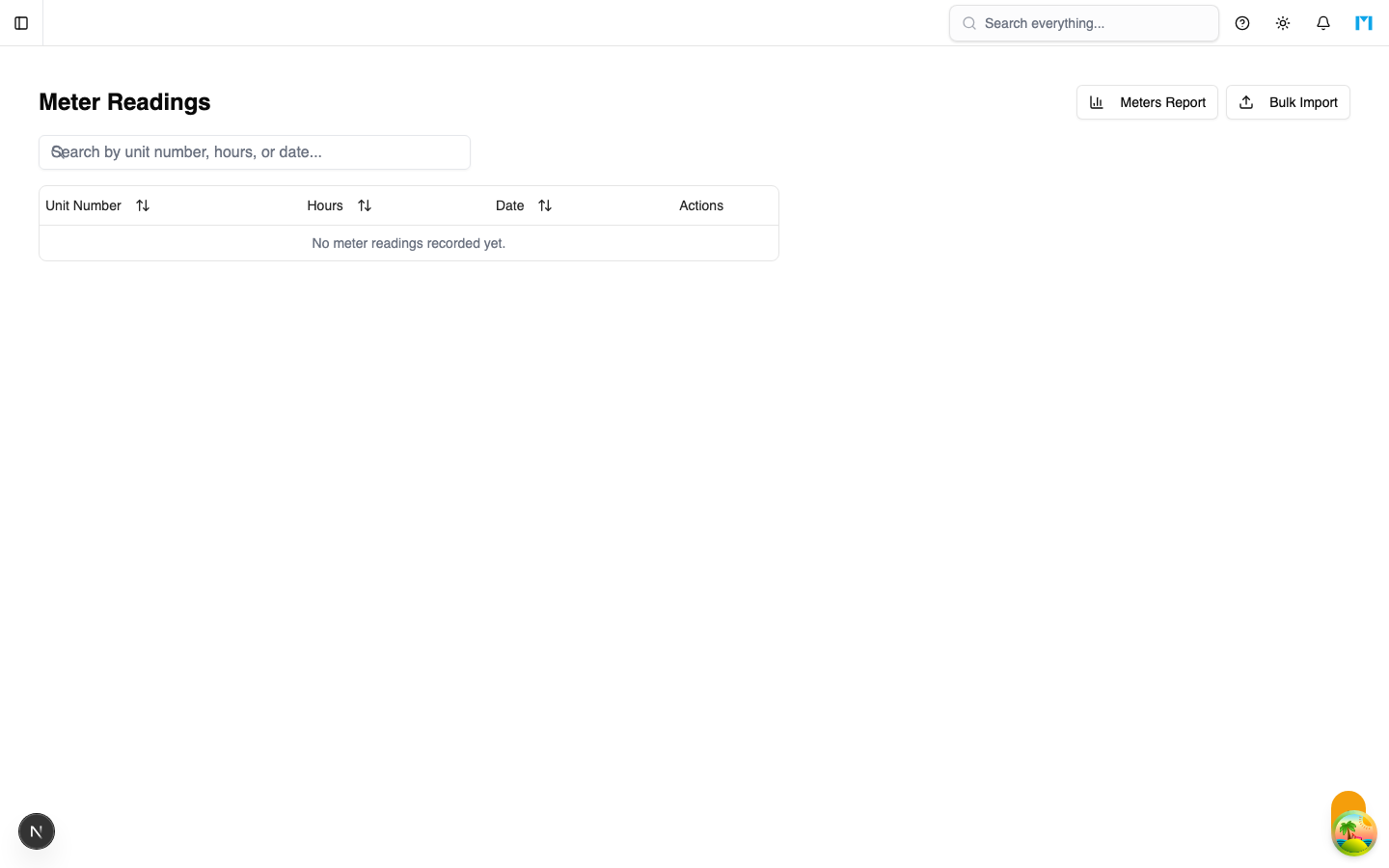
The meter readings list page shows the 100 most recent readings across all vehicles (or filtered to a specific vehicle). Each row displays:
- Unit Number -- the vehicle's unit identifier (clickable to drill into that vehicle's readings).
- Hours -- the hour meter value in monospace font.
- Date -- when the reading was recorded.
- Actions -- edit and delete buttons.
The list supports:
- Search -- filter by unit number, fleet ID, VIN, hours value, or date.
- Sorting -- click column headers to sort by unit number, hours, or date (ascending or descending).
Recording a Reading
To record a new meter reading, provide the vehicle ID, reading date, hour meter value, and optionally the cycle count and notes. On creation, MineSync automatically:
- Inserts the reading into the
MeterReadingtable. - Updates the vehicle's
hoursLTD(lifetime hours) andcyclesLTDfrom the latest reading. - Recalculates all forecast events for that vehicle based on the updated hours.
If a reading already exists for the same vehicle and date, a conflict error is returned.
Bulk Import
The bulk import feature allows you to upload multiple meter readings at once. It is accessible via the "Bulk Import" button on the meter readings page, which opens a dialog for pasting or uploading reading data.
The bulk import process:
- Validates all vehicle IDs against the tenant (prevents cross-tenant writes).
- Inserts each reading individually, skipping duplicates.
- Updates LTD counters and recalculates forecasts for all affected vehicles.
- Returns a summary with success count and any errors (with index and error message for each failure).
Bulk-imported readings are tagged with source: "BULK_IMPORT" for traceability.
Editing a Reading
Click the pencil icon on any reading row to open the edit dialog. You can modify the date, hours, and notes. After saving, the system recalculates the vehicle's LTD counters and forecasts automatically.
Deleting a Reading
Click the trash icon to open a confirmation dialog. Deleting a reading is permanent (hard delete, not soft delete). After deletion, forecasts are recalculated to reflect the updated meter history. The confirmation dialog shows the reading details to prevent accidental deletion.
Meters Report
The "Meters Report" button navigates to /t/{slug}/lifecycle/meter-readings/report, which provides a fleet-wide view of current hours, daily utilization, and projected hours for each vehicle.
Per-Vehicle Detail
Clicking a unit number navigates to /t/{slug}/lifecycle/meter-readings/{vehicleId}, showing the full reading history for that specific vehicle with trend visualization.
How Meter Readings Drive Forecasts
The forecast system uses meter readings to predict when maintenance events will be needed:
- The latest reading establishes the vehicle's current
hoursLTD. - The vehicle's
dailyUtilizationrate (hours per day) projects future hour accumulation. - Profile events define target hours for each maintenance activity (e.g., engine overhaul at 10,000 hours).
- The system calculates projected dates for each event and assigns statuses:
PROJECTED,DUE_SOON, orOVERDUE.
This pipeline runs automatically whenever a reading is created, updated, or deleted.
Common Questions
Why did my reading fail with a conflict error?
Each vehicle can only have one reading per date. If you need to update an existing reading for a date, use the edit function instead of creating a new one.
What happens to forecasts when I delete a reading?
Forecasts are recalculated based on the remaining readings. If you delete the most recent reading, the vehicle's hoursLTD will revert to the previous reading's value, and forecast dates will shift accordingly.
Can I import readings from external systems?
Yes, use the bulk import feature. Prepare your data with vehicle IDs (which must match existing vehicles in your tenant), dates (ISO format or YYYY-MM-DD), and hour values. The system will validate all vehicle IDs before importing.
How is daily utilization calculated on the dashboard?
The dashboard's "Avg Daily Hours" KPI computes the difference between the first and last meter reading for each vehicle within the date range, divides by the number of days, and averages across all vehicles.